ECHOFIELD
A free, open-source granular instrument built with the VIBE FM SDK. One sound (a sample, or whatever comes into the inputs right now) becomes an endless field of grains: slow clouds, sparkles, tape loops and swells.
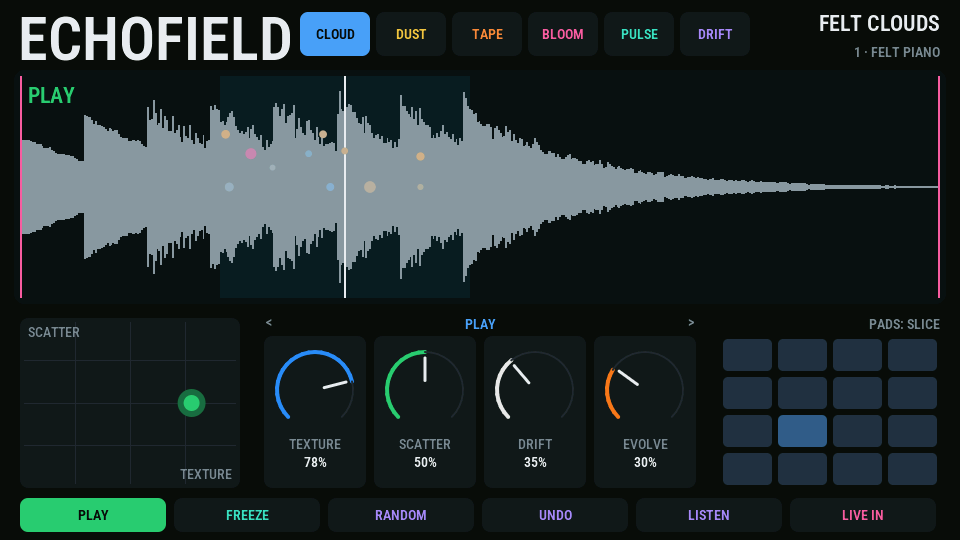
Six ways to play one sound
Grains are tiny pieces of a sound, each with its own place, pitch, length and fade. ECHOFIELD plays dozens at once, overlapped, so the sound never stops moving. Encoder A chooses how.
What only the VIBE can do
ECHOFIELD started on the M-VAVE FM-1: one small screen, four knobs, no audio input. This native port keeps everything the FM-1 version does and uses what a Vibe adds.
LIVE: your input, granulated
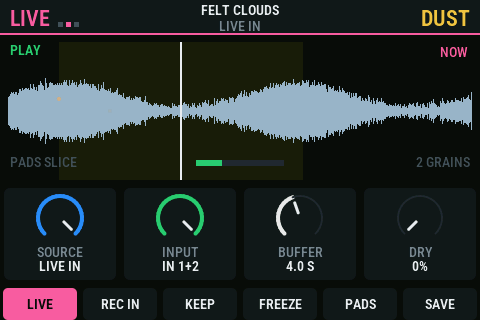
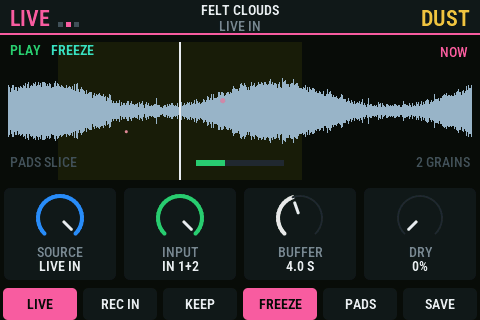
IN 1, IN 2 or both run into a ring of up to eight seconds, and the grains read from it while it fills. Play a guitar, sing, or feed in another synth and ECHOFIELD clouds it in real time. FREEZE holds the moment, playable on the keys; KEEP puts it into a slot; DRY mixes the input in beside the cloud. REC IN records up to 16 seconds straight into a slot.
Locked to your DAW
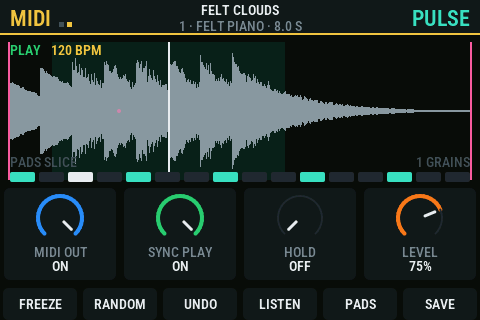
PULSE's steps and the delay follow the host's tempo and beat. SYNC PLAY starts and stops the endless sound with the DAW's transport, and with MIDI OUT on, every PULSE step goes out as a MIDI note to play another instrument.
A face of its own
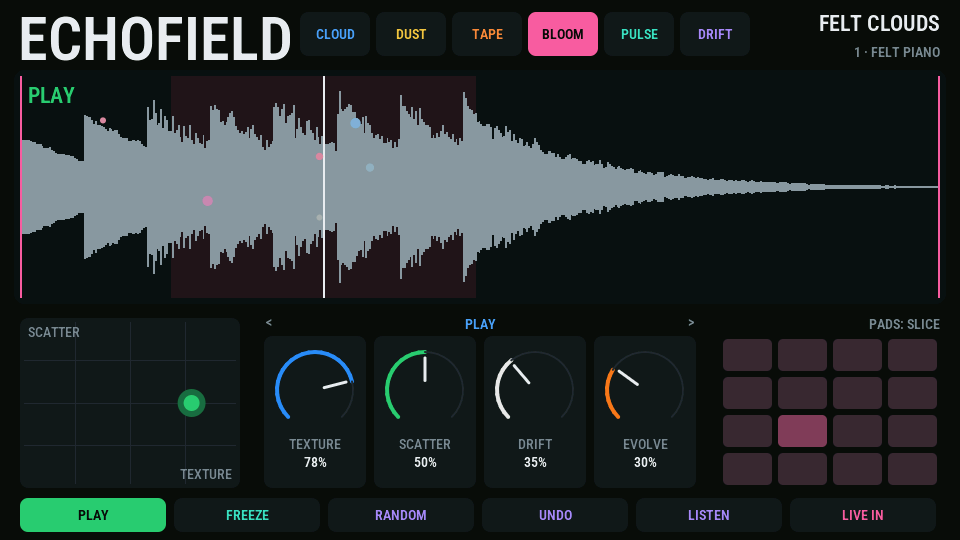
In the Playground and the plugin, ECHOFIELD opens on a 960 × 540 stage: drag the playhead and the sample's edges, an XY pad for TEXTURE and SCATTER, mode tabs, the page's dials, the pads and the main buttons.
SLICE, FX, SLOTS
Sixteen places in the sample, played with velocity; or the performance effects, held (freeze, reverse, octaves, stutter, shimmer, tape stop, a delay throw and more); or the sixteen slots, heard while held. The pads light to show where you are.
Every grain, drawn
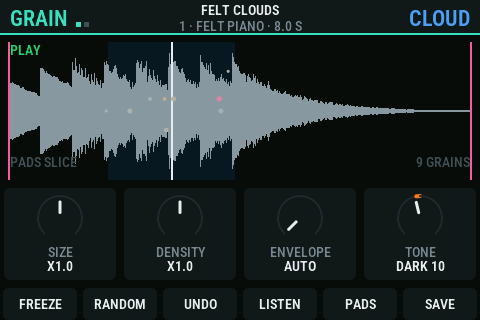
The 480 × 320 screen shows the whole sample with each grain on it: where it reads, how high, how loud, left or right. Four dials for the four knobs, sixteen pages in six groups, a level meter, the ORACLE's note.
Your sounds, any WAV
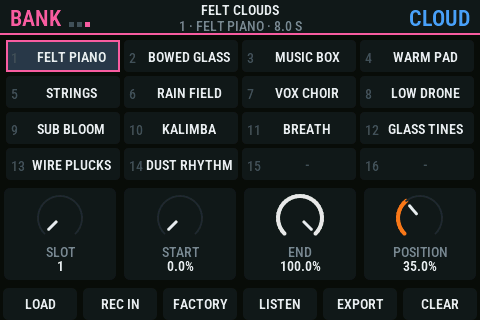
LOAD from the card, a USB stick or any folder, or drop a WAV onto the plugin: 8, 16, 24 or 32-bit, float, mono or stereo. EXPORT a slot as a WAV. Sixteen slots, saved by themselves.
Room to breathe
The factory sounds at full length (eight seconds each, four times the FM-1's), slots of up to sixteen seconds, an eight-second live ring and 48 grains at once.
Automate everything
Every parameter is automatable in the plugin, in named groups with help texts, an XY pad and a mode menu. The grains share the work between the audio flow and a worker job.
Everything from the FM-1
- Playable: the keys play the cloud at any pitch, with velocity, chords and a LATCH.
- The ORACLE plays by itself, picking notes in a key and scale you choose.
- RANDOM with locks rolls new settings that still sound good; UNDO when you went too far.
- RESAMPLE what you hear into a new sound; LISTEN to any sample as it is.
- After the grains: a filter with drive, a ping-pong delay, a reverb with shimmer, and tape.
- 14 factory sounds (CC0), 15 factory presets and 16 of your own.
Get started
- In your browser. Download
echofield.wasmfrom the latest release, open the VIBE FM Playground and drop it onto the device. Press PLAY. - In your DAW. Install VIBE FM VST (VST3, AU,
CLAP and a standalone app, free) and drop
echofield.ziponto its window. - Play. PLAY starts the endless sound, the keys play it, encoder A changes the mode, encoder B the preset. HOME shows what every control does.
Chrome or Edge in the Playground can use your MIDI keyboard and your audio input (for LIVE and REC IN).
Controls
The house layout of every Vibe: K1 to K6 choose a group (pressed again: its next page), encoders 1 to 4 are the four values on the screen, F1 to F6 do what their captions say.
| Control | What it does |
|---|---|
| Keys | play the cloud at any pitch (C4 is the sample's own); velocity, chords, LATCH |
| PLAY / STOP | the endless sound on and off / everything quiet |
| REC | RESAMPLE what you hear into a slot · SHIFT + REC: REC IN |
| Encoder A | the mode |
| Encoder B / MENU | the presets: the one you stop on plays |
| DATA | the playhead (POSITION); push: LISTEN |
| SHIFT + encoder | lock that value from RANDOM |
| F1 to F6 | FREEZE · RANDOM · UNDO · LISTEN · PADS · SAVE (SAMPLE: LOAD · REC IN · RESAMPLE · LISTEN · EXPORT · CLEAR; LIVE: LIVE · REC IN · KEEP · FREEZE · PADS · SAVE) |
| Pads | SLICE · FX · SLOTS (F5 switches) |
| HOME | what every control does, on the page you are on |
| ENTER held | FOCUS: every control on the screen with DATA and ENTER |
| Group | Pages |
|---|---|
| K1 SOUND | PLAY (texture, scatter, drift, evolve) · COLOUR (pitch, harmony, space, tape) |
| K2 GRAIN | GRAIN (size, density, envelope, tone) · MOTION (scan, reverse, pitch and size random) |
| K3 KEYS | KEYS (attack, release, key mode, velocity) · MIDI (MIDI out, sync play, oracle hold, level) |
| K4 ORACLE | ORACLE (on, root, scale, activity) · ORACLE 2 (ambiguity, range, glide, drone) |
| K5 FX | FILTER · DELAY · REVERB · TAPE · MIX (width, level, input gain, dry) |
| K6 SAMPLE | SAMPLE (slot, start, end, position) · LIVE (source, input, buffer, dry) · BANK |
Build it yourself
Zig 0.13.0 and Python 3. The SDK comes as a git submodule.
git clone --recursive https://github.com/Philip-Bos/echofield-vibe.git
cd echofield-vibe && sh tools/build.sh
node vibe-sdk/tools/vibe-check.mjs build/echofield.wasm